Mark a dose taken or skipped
Confirm a dose from Today, a reminder, the parent's phone, Siri or Apple Watch, and what the colors mean.
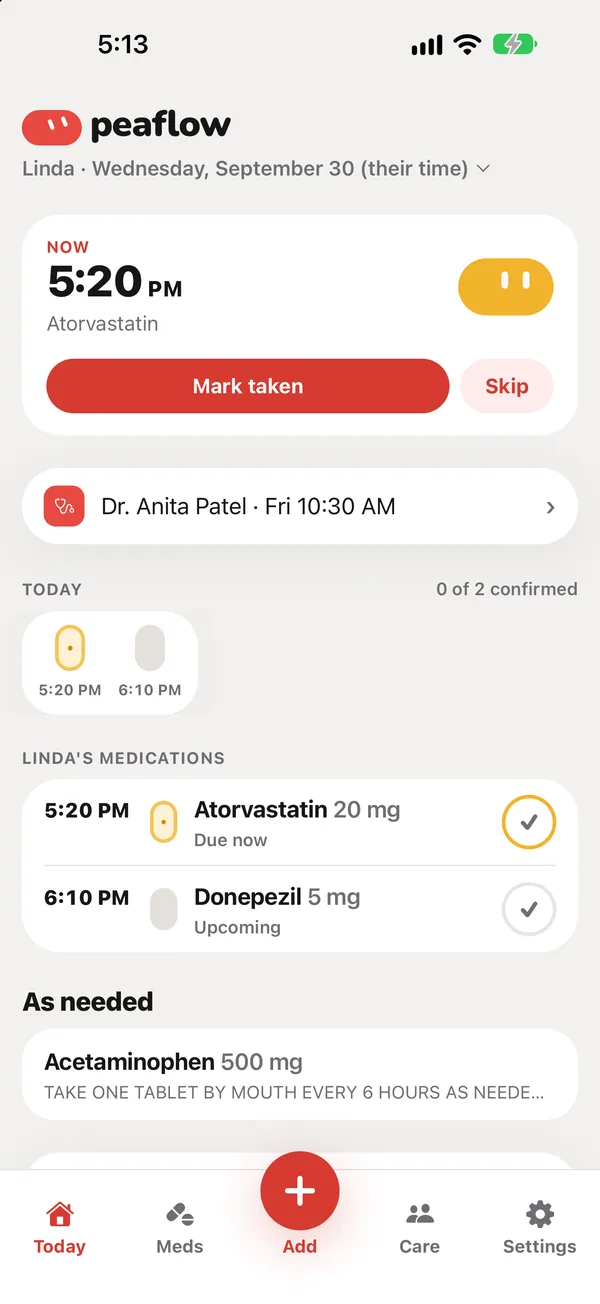
When a dose is due, it’s at the top of Today under Now.
Ways to mark a dose
- Today: tap Mark taken or Skip on the Now card, or tap the circle next to any dose.
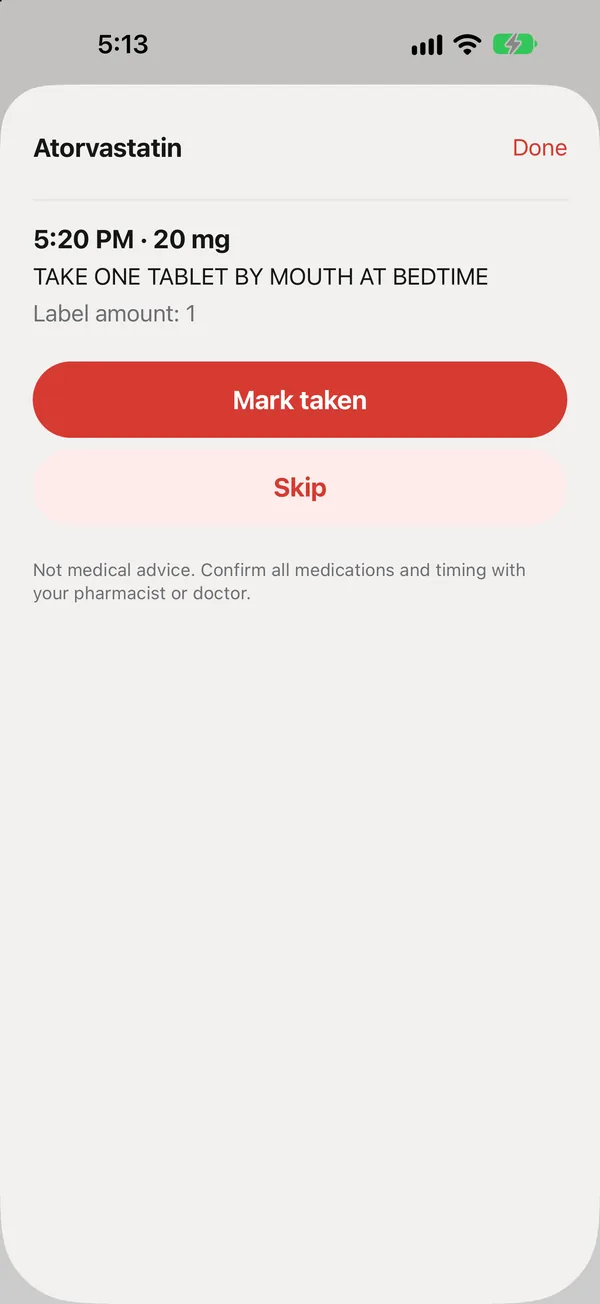
- A dose’s sheet: tap a medication row to see the directions, then Mark taken or Skip.
- The reminder: press and hold the notification and tap Took it.
- Your parent’s phone: the big I took it button. See Set up your parent’s own phone.
- Siri and Apple Watch on your parent’s phone. See Widgets, Live Activity, Siri and Apple Watch.
Whoever marks it, everyone in the circle sees it straight away, with who marked it and when (“Already marked taken by Sam”).
What the colors mean
The row of pills on Today shows the day at a glance:
| Color | Meaning |
|---|---|
| Green | Taken |
| Yellow | Due now |
| Purple | Missed (not confirmed in time) |
| Grey | Not due yet, or skipped |
Skipped vs missed
Skip means someone decided not to take it, for example on the doctor’s advice. Missed means nobody confirmed it in time. Skipped doses aren’t counted against adherence; missed ones are.
Marked it by mistake?
Tap Undo right after marking it. If you’re offline, peaflow says “You’re offline. Answers will sync when you reconnect.” and sends the answer as soon as it can.
Did this answer your question?
Thanks for letting us know. If something's missing, email support@peaflow.com.