See how the week went
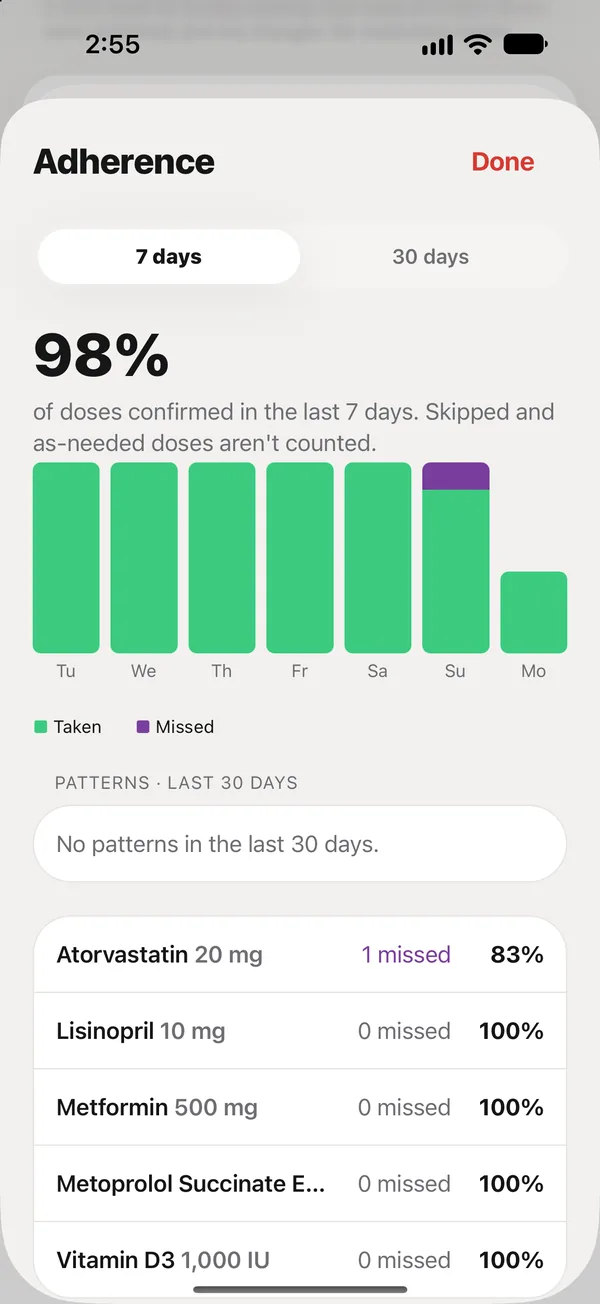
The Adherence screen shows doses confirmed per day and per medication, over 7 or 30 days.
In Care, tap Adherence.
What you see
- The share of doses confirmed over the period. Skipped and as-needed doses aren’t counted.
- A bar for each day: green for taken, purple for missed.
- Each medication, with how many were missed and its percentage.
The last 7 days are free. 30 days is part of Plus.
Patterns (Plus)
With Plus, Patterns points out things worth a look over the last 30 days: missed doses at a certain time of day or on certain weekdays, late confirmations, and medications taken less than 80% of the time. It describes what happened; it never tells you to change a medication.
A medication’s history
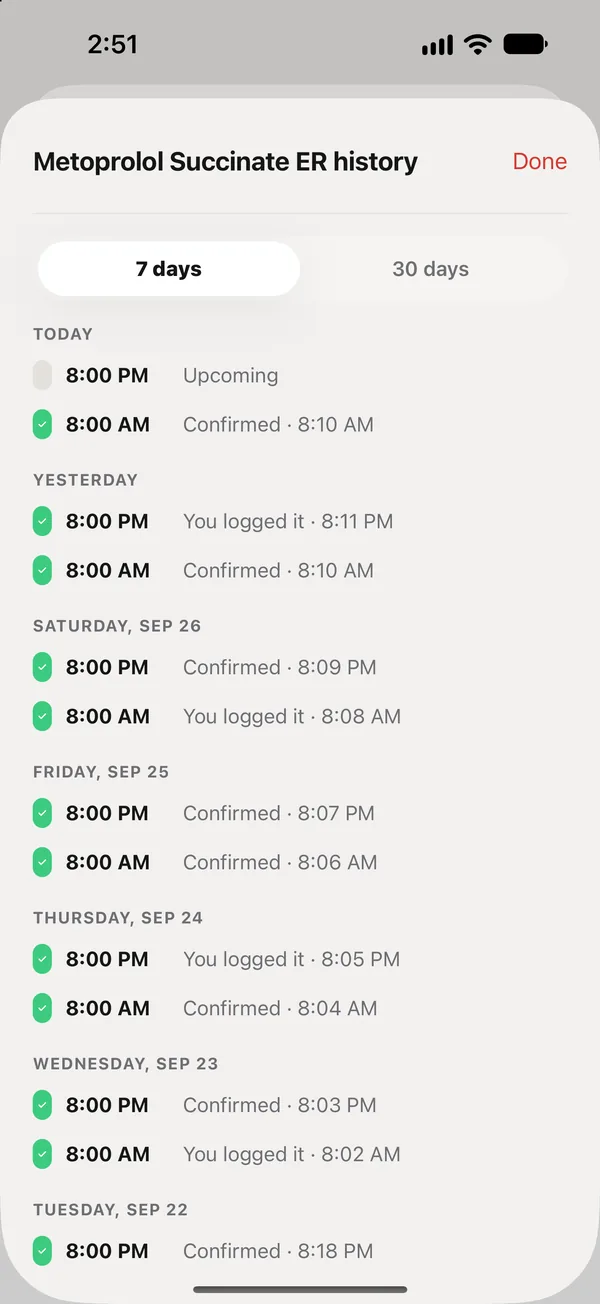
Open a medication from Meds and tap History to see each of its doses: when it was due, when it was marked, and by whom.
Did this answer your question?
Thanks for letting us know. If something's missing, email support@peaflow.com.