Set up your parent's own phone
Reminders on their iPhone, with one big "I took it" button and nothing else to learn.
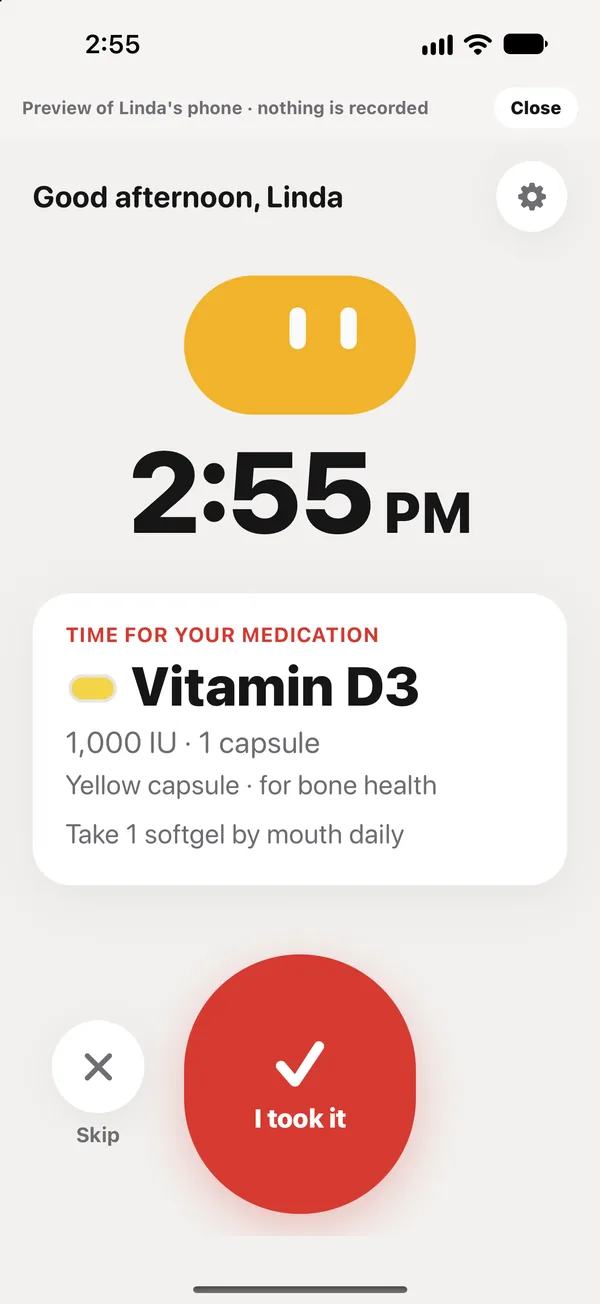
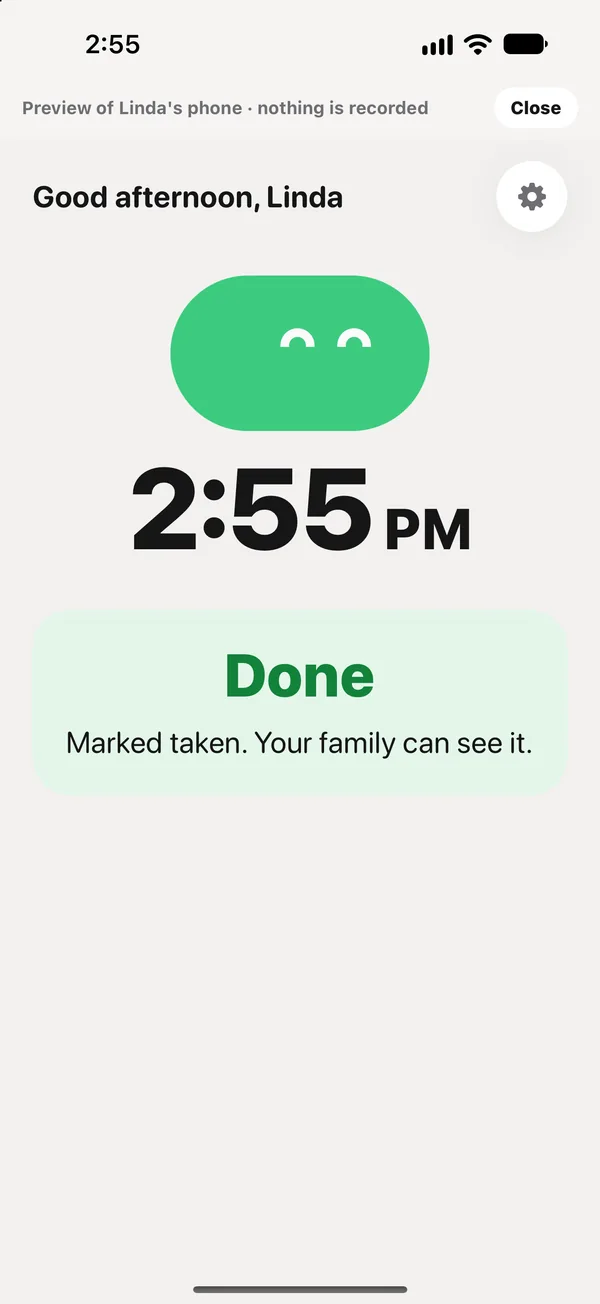
Your parent can confirm their own doses on their own iPhone. Their screen shows only what’s due, in large text, with one big button.
Connect their phone
- On your phone, open Care → Invite family.
- Under Linda’s phone, tap Make a code.
- On their iPhone, download peaflow, tap I have an invite code, enter the code, and sign in (Sign in with Apple is easiest).
Then in Settings → Reminders on your phone, choose Linda’s phone or Both so reminders go to them.
What they see
- The time, and what’s due now, with the pill’s color and shape.
- A big I took it button, and Skip.
- How I feel: large buttons for common symptoms, then Tell my family, or I feel fine, which just closes.
- Text in Large or Extra large; change it with the gear button on their phone.
When they tap I took it, your Today updates within seconds.
Preview it first
To see exactly what they’ll see, open Care → Preview Linda’s phone. Nothing you tap in the preview is recorded.
Siri, Apple Watch and the Lock Screen
Once their phone has joined, they can also say “Hey Siri, I took my pills in peaflow”, or confirm from their Apple Watch or Lock Screen. See Widgets, Live Activity, Siri and Apple Watch.
Did this answer your question?
Thanks for letting us know. If something's missing, email support@peaflow.com.