Add a medication by typing it in
Enter the name, strength and directions yourself, and choose when reminders go off.
No label handy? You can type a medication in.
- Tap the red + button, then Type.
- Fill in the fields, then tap Save in the top right.
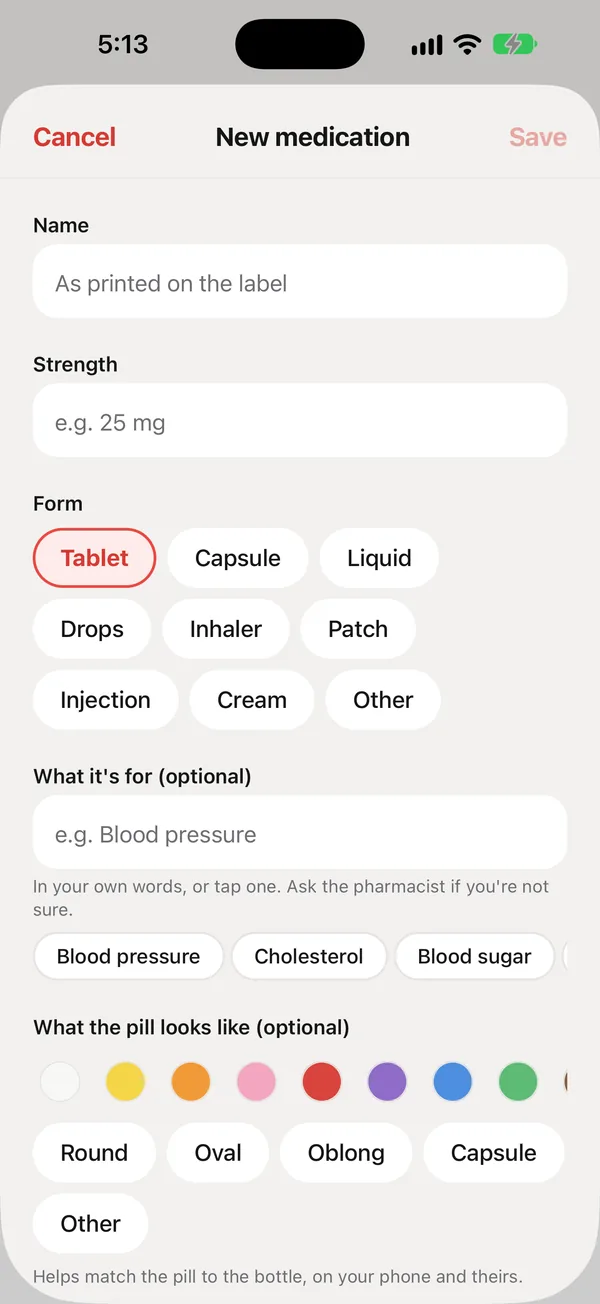
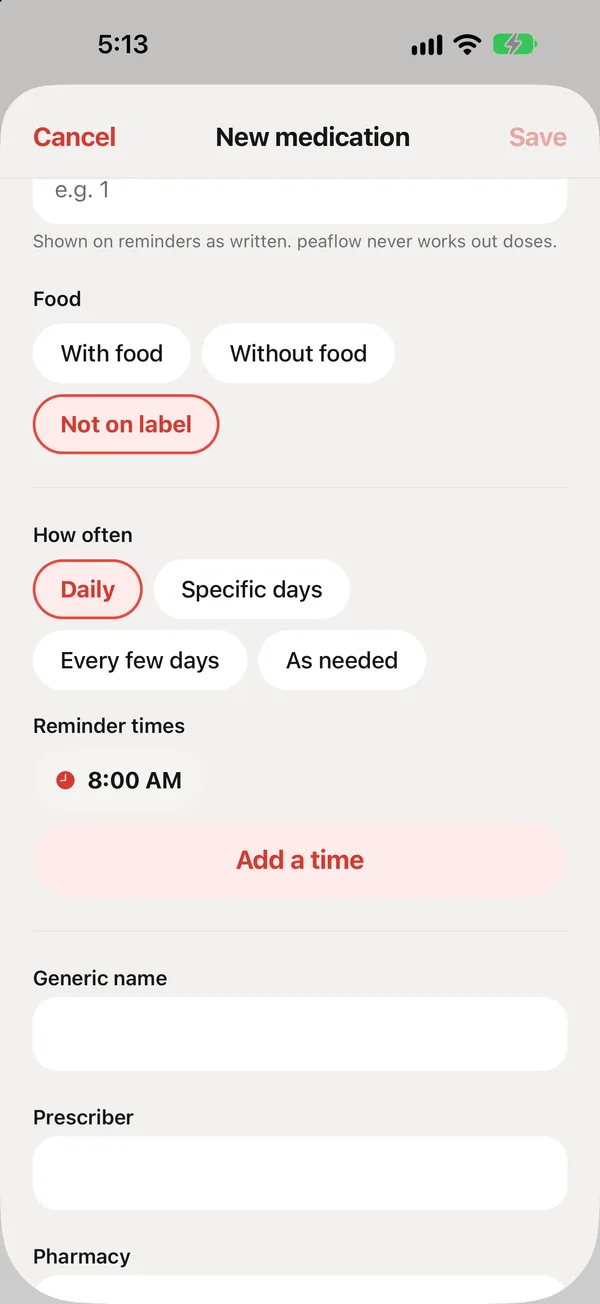
The fields
| Field | What to enter |
|---|---|
| Name | As printed on the label. |
| Strength | For example “25 mg”. |
| Form | Tablet, capsule, liquid, drops, inhaler, patch, injection, cream or other. |
| What it’s for (optional) | In your own words, or tap a suggestion like “Blood pressure”. Ask the pharmacist if you’re not sure. |
| What the pill looks like (optional) | A color and shape. It helps match the pill to the bottle, on your phone and theirs. |
| Directions and amount per dose | As written on the label. peaflow shows them on reminders exactly as written. |
| Food | With food, without food, or not on the label. |
| How often | Daily, specific days, every few days, or as needed. |
| Reminder times | Tap a time to change it, or Add a time. |
| Generic name, prescriber, pharmacy (optional) | These appear on the doctor PDF, and the pharmacy’s number is one tap away for refills. |
Did this answer your question?
Thanks for letting us know. If something's missing, email support@peaflow.com.