A quick tour of peaflow
What's on Today, Meds, Add, Care and Settings, and where to find things.
peaflow has four tabs and a red + button in the middle.
Today
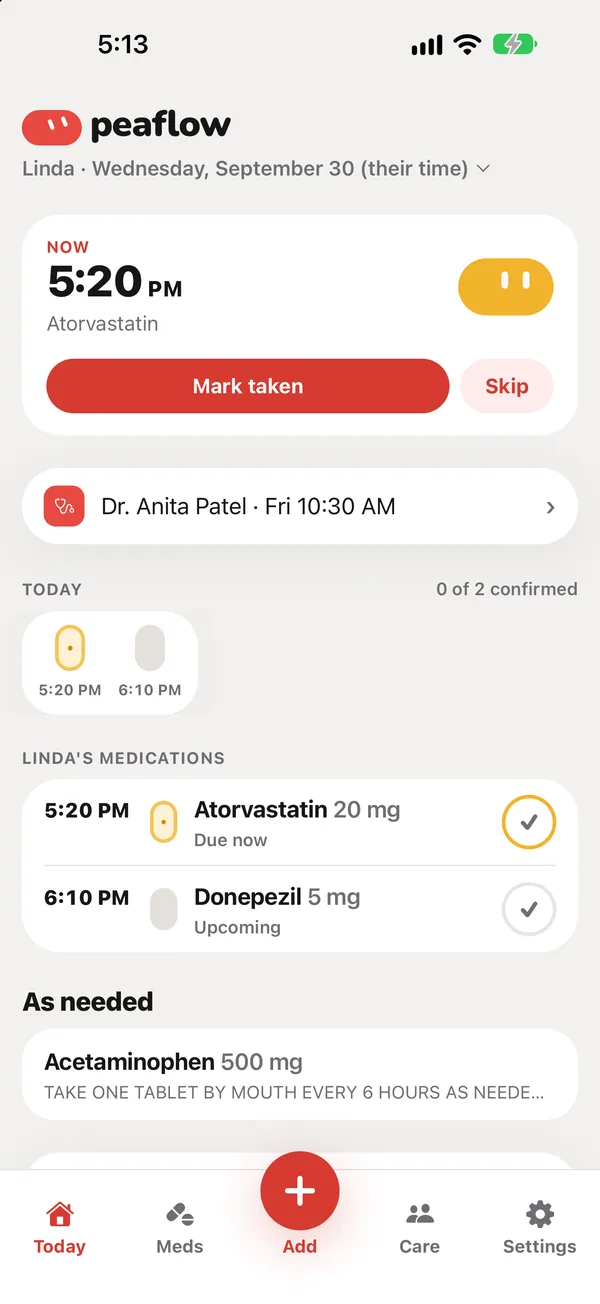
Everything due today for the person you’re looking after:
- Now: the dose that’s due, with Mark taken and Skip.
- The next appointment, and any medication that’s running low.
- A row of pills for the day: green when taken, yellow when due, purple when missed, grey when not yet due.
- The day’s medications by time, then anything taken as needed.
The name at the top (for example “Linda · Wednesday, September 30”) also switches between profiles. See Profiles.
Meds
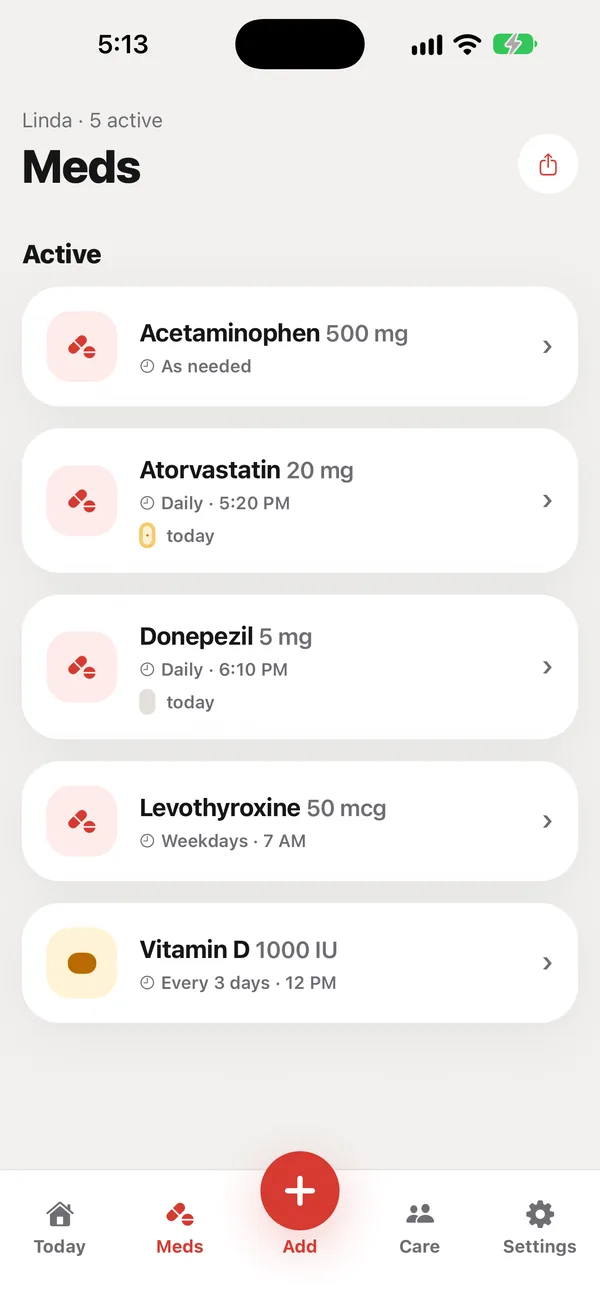
Every current medication with its schedule, what it’s for, today’s doses and how many days’ supply are left. Tap one to see its details, edit it, pause it or read the FDA label.
Add (+)
Scan a label, pick a photo of one, or type a medication in.
Care
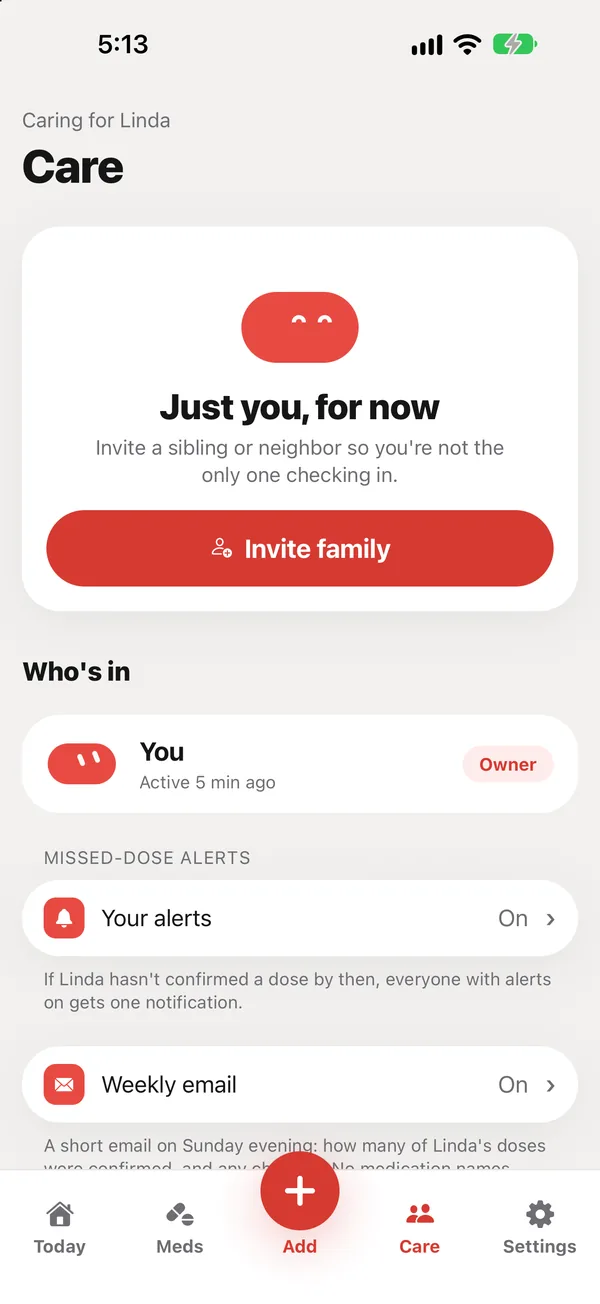
The people helping, invites, missed-dose alert settings, contacts, appointments, readings, adherence, the PDF for the doctor, and a preview of your parent’s phone.
Settings
Your name and phone number, password, the person you care for, their time zone and reminders, appearance, language, peaflow Plus, help and legal pages, and sign out.
Did this answer your question?
Thanks for letting us know. If something's missing, email support@peaflow.com.