Export a one-page PDF for the doctor
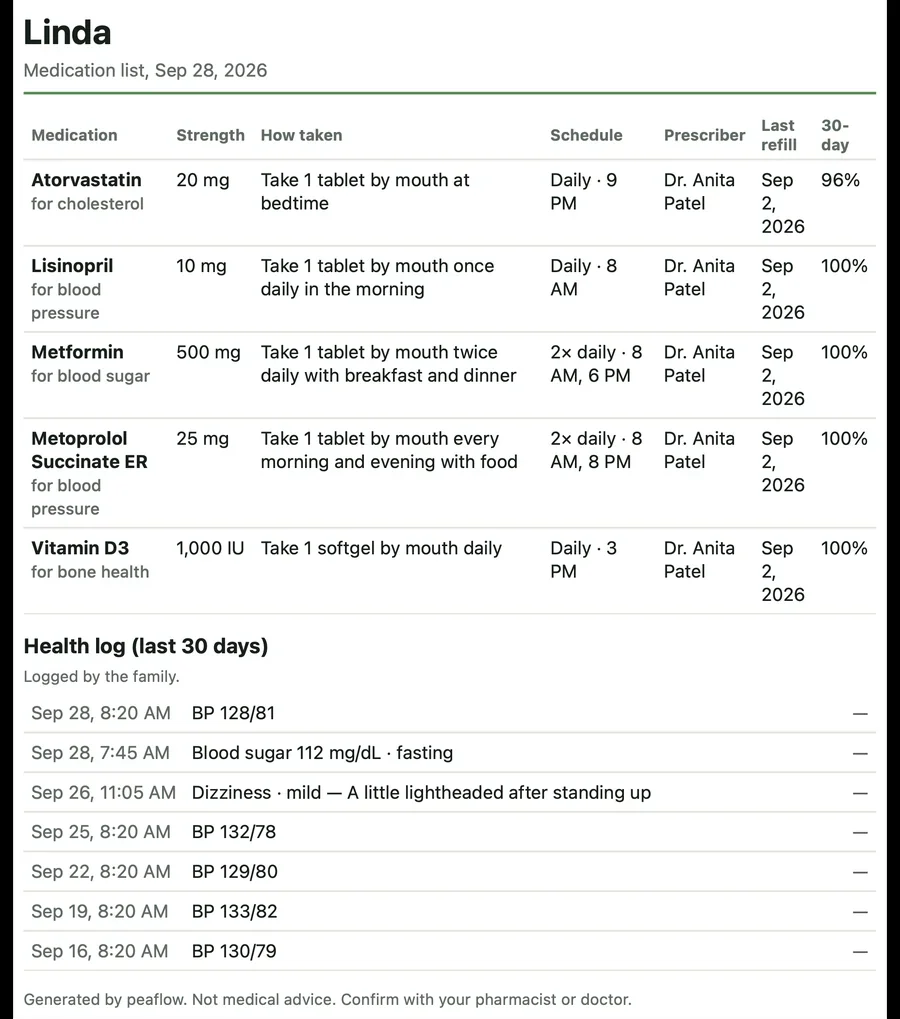
Every current medication, how it's taken, the prescriber, the last refill and the last 30 days, on one page.
In Care, tap Export for the doctor.
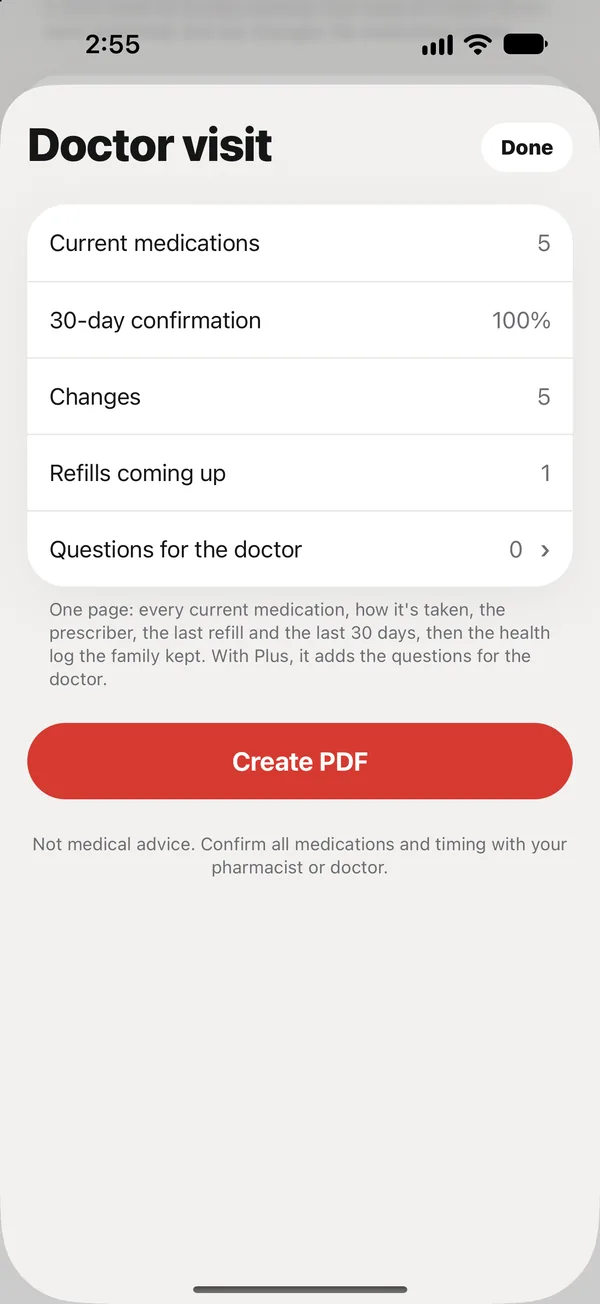
What’s on the page
- Every current medication, what it’s for, strength, how it’s taken, schedule, prescriber and last refill.
- The share of doses confirmed over the last 30 days, per medication.
- The health log the family kept: readings, symptoms and notes, newest first, labeled “Logged by the family”.
- With Plus, the questions for the doctor.
Tap Create PDF, then print it, email it, or AirDrop it to the front desk.
Add your phone number
To put your phone number on the PDF, add it in Settings → Your phone. Without it, the PDF leaves the number out.
Did this answer your question?
Thanks for letting us know. If something's missing, email support@peaflow.com.