Appointments and reminders
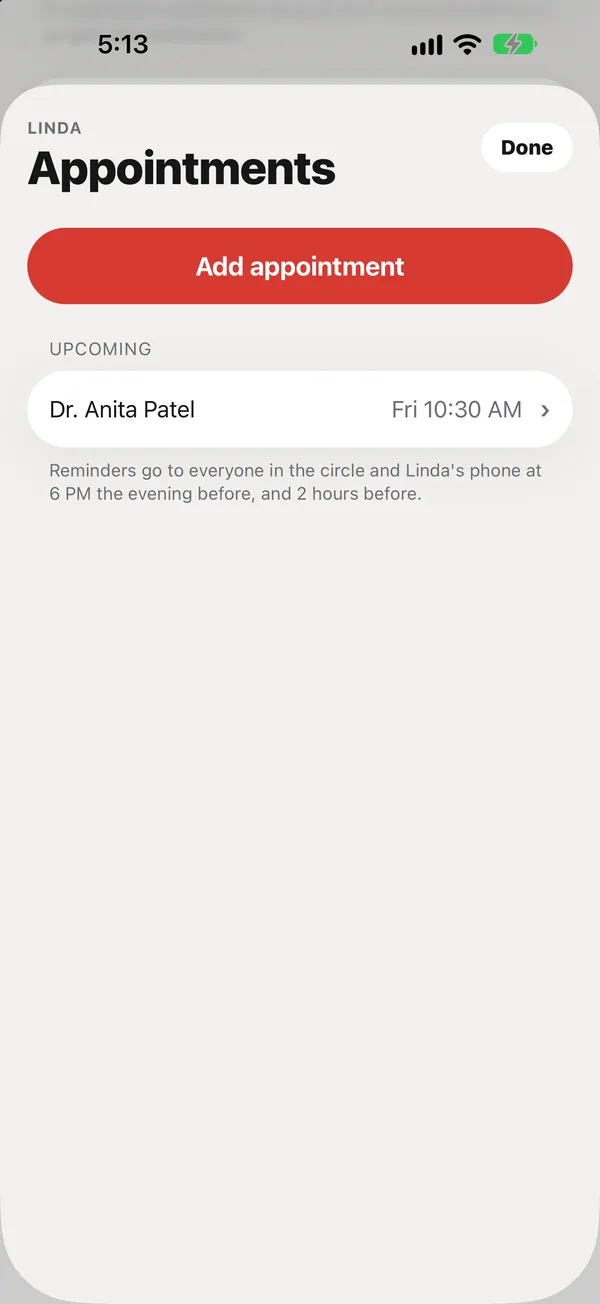
Add a doctor's appointment and everyone gets a reminder the evening before and two hours before.
In Care, tap Appointments, then Add appointment.
What to enter
- Who it’s with: pick a contact, or type a name.
- The date and time, in the person’s time zone.
- Where, and what it’s for (both optional).
The next appointment within a week also shows on Today.
Reminders
Everyone in the circle, and your parent’s phone, get a reminder at 6 PM the evening before and 2 hours before.
After the visit
Open the appointment and tap Mark done. If plans change, tap Cancel appointment: reminders stop and it stays under Past. Delete it only if it was added by mistake.
Visit mode (Plus)
At the appointment, tap Start visit mode. It brings the questions for the doctor and a place for notes. Finishing it marks the appointment done. Next time, you’ll see what’s changed since the last visit.
Did this answer your question?
Thanks for letting us know. If something's missing, email support@peaflow.com.