BMI
peaflow works out BMI from the latest weight and the height on the profile.
When you log a weight, peaflow shows BMI as you type.
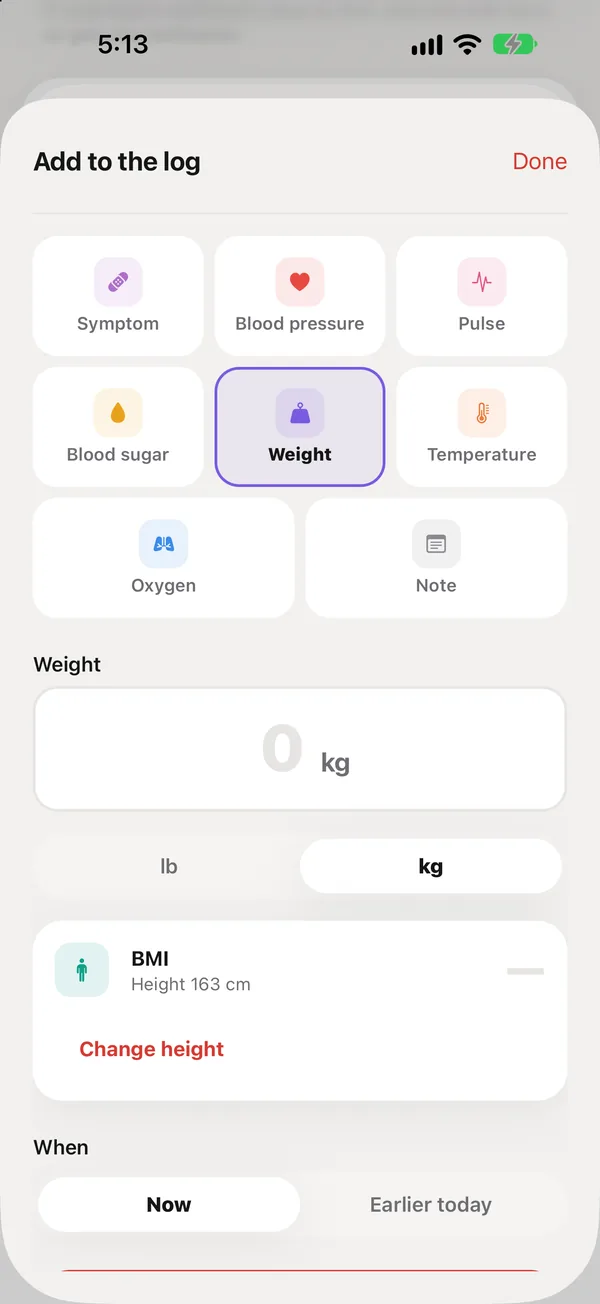
Add the height once
The first time, the weight screen asks for a height, in centimeters or feet and inches. It’s saved on the profile, so you don’t enter it again. Tap Change height to update it. The owner or any family member can set it.
How it’s worked out
BMI is weight in kilograms divided by height in meters squared, to one decimal. For example, 64 kg at 163 cm is a BMI of 24.1.
A number, not a label
peaflow shows BMI as a number only. It doesn’t say “underweight” or “overweight”: adult BMI ranges don’t suit many older people, and peaflow never interprets readings. BMI also appears as a card on Readings.
Did this answer your question?
Thanks for letting us know. If something's missing, email support@peaflow.com.